YouTube is one of the largest platforms in the world, with over 2 billion logged-in monthly users. Whether you’re a content creator, brand, or business, YouTube provides an immense opportunity to reach a global audience. However, growing your YouTube channel and standing out in a crowded marketplace can be a challenge. Fortunately, with the right YouTube growth tools, you can optimize your content, increase engagement, and boost your channel’s visibility.
In this blog, we will explore the best YouTube marketing tools and strategies to help you effectively grow your channel. These tools will assist with video creation, SEO optimization, audience engagement, and performance tracking, ultimately allowing you to grow your YouTube channel and increase your reach.
What Are YouTube Growth Tools?
YouTube growth tools are software platforms and resources designed to help YouTubers and marketers grow their channels. These tools aid in improving content quality, optimizing videos for search engines, tracking performance, managing audiences, and automating marketing tasks.
Some tools help you with video SEO by recommending keywords, tags, and descriptions, while others assist with content creation, engagement, and tracking how well your channel is doing. By using the right YouTube marketing tools, you can improve your video rankings, attract more views, and foster a community of loyal subscribers.
Top YouTube Growth Tools to Help You Succeed
Here are some of the most effective YouTube marketing tools that can help you grow your YouTube channel:
1. TubeBuddy: Optimize Your YouTube Channel with Ease
TubeBuddy is a powerful browser extension that offers a suite of tools designed to help content creators optimize and grow their YouTube channels. It provides features like keyword research, tag suggestions, SEO audits, and bulk processing. TubeBuddy is designed for both beginners and experienced YouTubers.
Key Features:
- Keyword Explorer: Find the best keywords to rank your videos.
- SEO Suggestions: Get personalized SEO recommendations for your videos.
- Thumbnail Generator: Create custom thumbnails that boost your click-through rate (CTR).
- Tag Management: Bulk add, copy, or replace tags on videos to enhance discoverability.
Why Use TubeBuddy?
- Helps optimize videos for search.
- Easy-to-use interface for video SEO.
- Detailed analytics and insights to track performance.
2. VidIQ: Data-Driven YouTube Growth
VidIQ is another popular tool for YouTube growth that focuses on video optimization and analytics. VidIQ provides valuable data to help content creators improve their channel’s performance, track trending topics, and manage SEO.
Key Features:
- Keyword Research: Discover popular keywords and trending topics for your videos.
- SEO Score: Get a score based on how optimized your videos are for search.
- Competitor Analysis: Track your competitors and see what’s working for them.
- Video Analytics: Track video views, engagement, and growth metrics.
Why Use VidIQ?
- Helps improve video rankings with in-depth SEO insights.
- Competitor tracking to stay ahead in your niche.
- Actionable analytics to refine video content.
3. Canva: Create Stunning Thumbnails and Visuals
One of the most important aspects of growing your YouTube channel is having visually appealing content. A great thumbnail can significantly increase your click-through rate (CTR). Canva is an easy-to-use tool that allows you to create custom thumbnails, social media graphics, and more.
Key Features:
- Custom Templates: Choose from hundreds of pre-designed templates for YouTube thumbnails.
- Drag-and-Drop Interface: No design experience is needed; simply drag and drop elements into place.
- Branding Tools: Add your logo and use consistent colors and fonts for branding.
- Free and Paid Options: Canva offers both free and premium templates, making it accessible for all budgets.
Why Use Canva?
- Create eye-catching thumbnails that drive higher CTR.
- Easy to use, even for beginners.
- Fully customizable designs to match your brand’s look.
4. Social Blade: Track Your Channel’s Growth
Social Blade is a free tool that provides analytics and growth tracking for YouTube channels. With Social Blade, you can monitor your subscriber growth, view count, and even estimate your channel’s earnings. It’s an excellent tool for setting growth goals and measuring performance over time.
Key Features:
- Channel Analytics: Track your YouTube channel’s growth over time.
- Competitor Tracking: Compare your channel’s performance to other creators.
- Live Subscriber Count: See your subscriber count grow in real-time.
- Earnings Estimates: Get an estimate of your potential YouTube earnings based on views and subscribers.
Why Use Social Blade?
- Monitor growth and track progress toward goals.
- Keep an eye on competitors and benchmark against other channels.
- Analyze performance to refine your strategies.
5. YouTube Analytics: Your Built-in Performance Tracker
YouTube Analytics is the platform’s built-in tool for tracking your video and channel performance. It provides a wealth of information about your audience, views, traffic sources, and engagement. This tool is essential for understanding what’s working and what isn’t.
Key Features:
- Audience Demographics: Get detailed insights into the age, gender, and location of your audience.
- Engagement Metrics: Measure likes, comments, shares, and watch time.
- Traffic Sources: See where your traffic is coming from (e.g., YouTube search, external sources, suggested videos).
- Real-Time Analytics: Monitor views and engagement in real-time to optimize your strategies.
Why Use YouTube Analytics?
- Track key metrics like watch time, views, and engagement.
- Refine content strategy based on audience behavior.
- Identify top-performing videos and optimize future content.
6. Taggbox: Display Your YouTube Content on Your Website
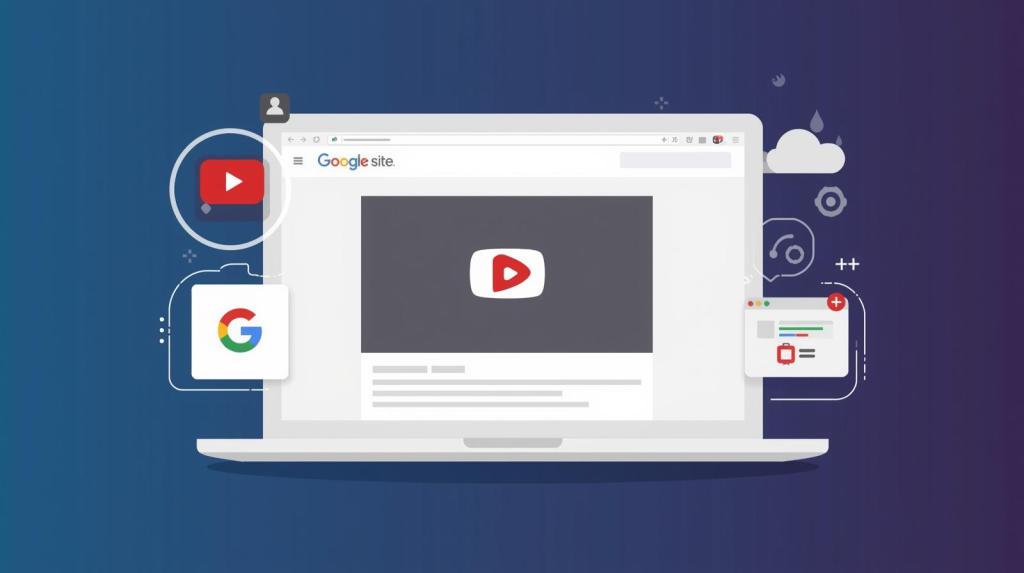
To expand your YouTube channel’s reach beyond YouTube itself, Taggbox is a powerful tool that allows you to add YouTube channel feeds or individual videos directly to your website. This YouTube widget seamlessly embeds your content on your website, enabling you to share real-time updates and engage with your website visitors.
Key Features:
- YouTube Aggregator: Display YouTube videos or your entire YouTube channel on your website.
- Customizable Widgets: Customize the widget’s look and feel to match your website design.
- Live Updates: Automatically update the feed with your latest videos.
- Engagement Features: Let your website visitors like, comment, or share your videos.
Why Use Taggbox?
- Display your YouTube content directly on your website.
- Keep your website visitors engaged with fresh, real-time content.
- Improve your YouTube channel’s visibility and attract more subscribers.
Why Use YouTube Growth Tools?
Here are some simple reasons why you should invest in YouTube marketing tools for your channel:
- Save Time: Automate tasks like scheduling and SEO optimization.
- Increase Visibility: Tools help optimize content to rank higher in YouTube search results.
- Track Progress: Measure performance and adjust strategies to improve results.
- Enhance Engagement: Create visually appealing content that attracts more views, likes, and comments.
- Grow Your Audience: Boost your subscriber count and increase video reach with targeted optimization strategies.
Final Thoughts
In a competitive digital space like YouTube, having the right tools can make a world of difference in growing your channel. By using YouTube growth tools, you can optimize your videos for better SEO, engage with your audience more effectively, and track the performance of your content. Tools like TubeBuddy, VidIQ, and Canva help you create better content, while Social Blade and YouTube Analytics give you the insights you need to refine your strategy. Additionally, using a YouTube widget like Taggbox to display your content on your website can help increase your visibility and drive more engagement.
By consistently leveraging these tools, you’ll be able to grow your YouTube channel efficiently and effectively, building a strong, engaged community of viewers who return for more. Start implementing these tools today, and watch your YouTube channel thrive.




 YouTube Marketing Blog
Leave a comment